Building a Shop Floor Work Order System
A shop floor work order system solves one problem in a single sentence: every work order should be traceable from release to closure. It links dispatch, execution, reporting and closure into one loop, replacing verbal dispatch and paper routing. The fields a work order carries, the way operators report output, and the interface boundaries with ERP and MES are the three things to settle first.
What a work order system actually manages
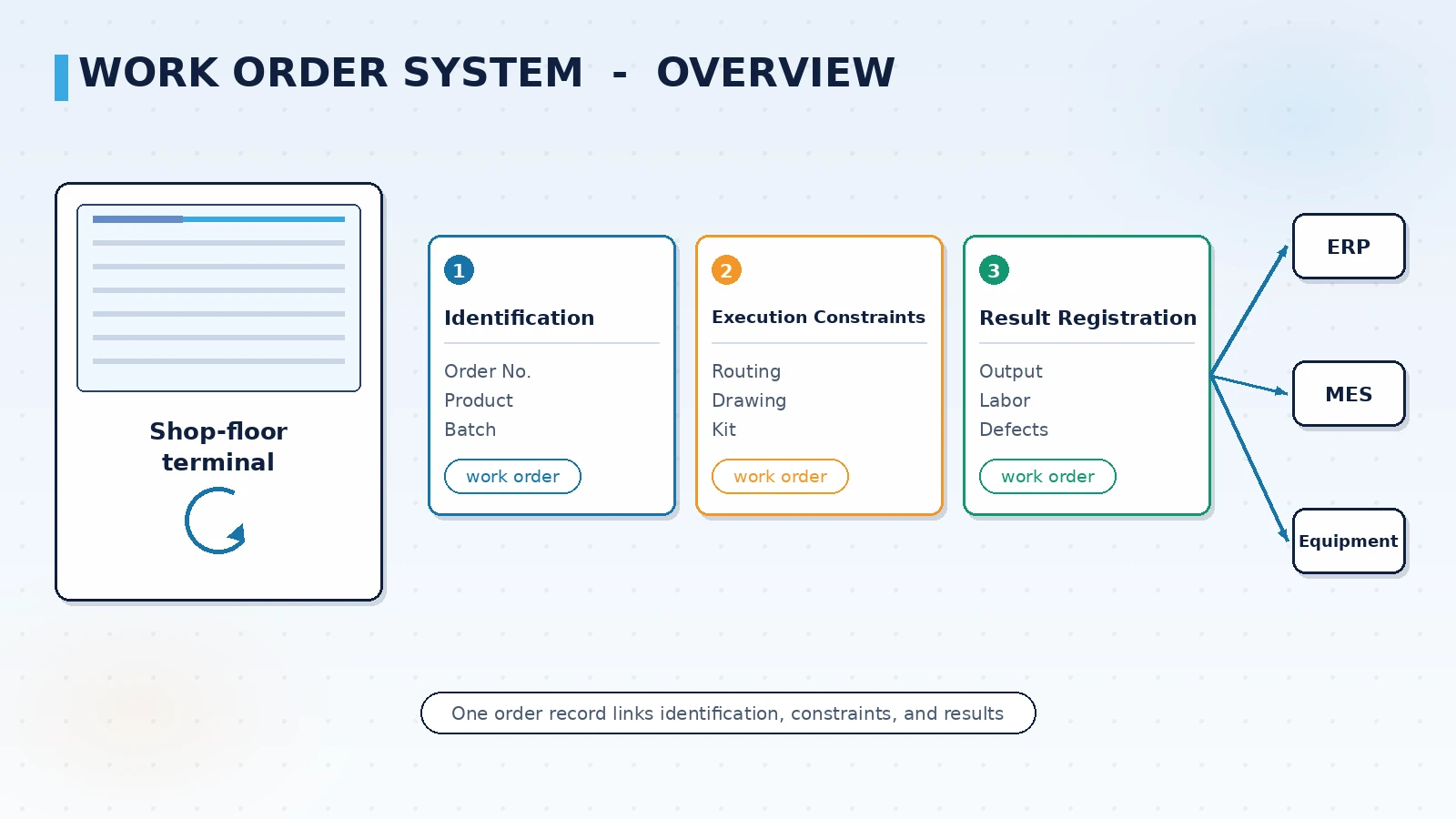
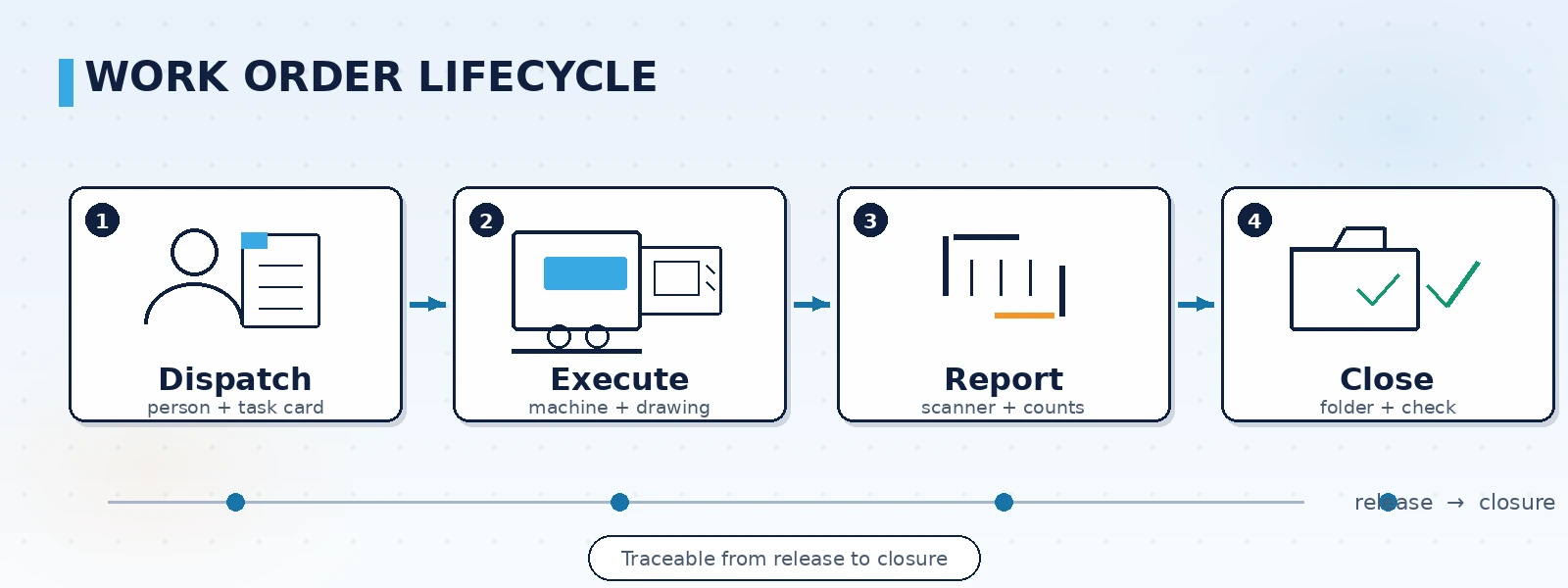
A work order system is not an electronic spreadsheet. It is an execution chain. In a typical flow, planning breaks the production plan into work orders; each work order carries its routing, materials and quantity down to a team or machine. Operators work against the order and report output by scanning. When the quantity is complete or a supervisor confirms, the order closes and is archived. If anything goes wrong in between — missing material, equipment failure, a need to outsource — the trace stays on the same work order.
- Dispatch: assign work orders to a team, machine or operator; batch or one by one
- Execution: operators see the routing requirements, drawing revision and material readiness
- Reporting: register output quantity and labor hours, by scan or mobile terminal
- Closure: archive the completed order together with its operation log and exception handling
Which fields a work order should carry
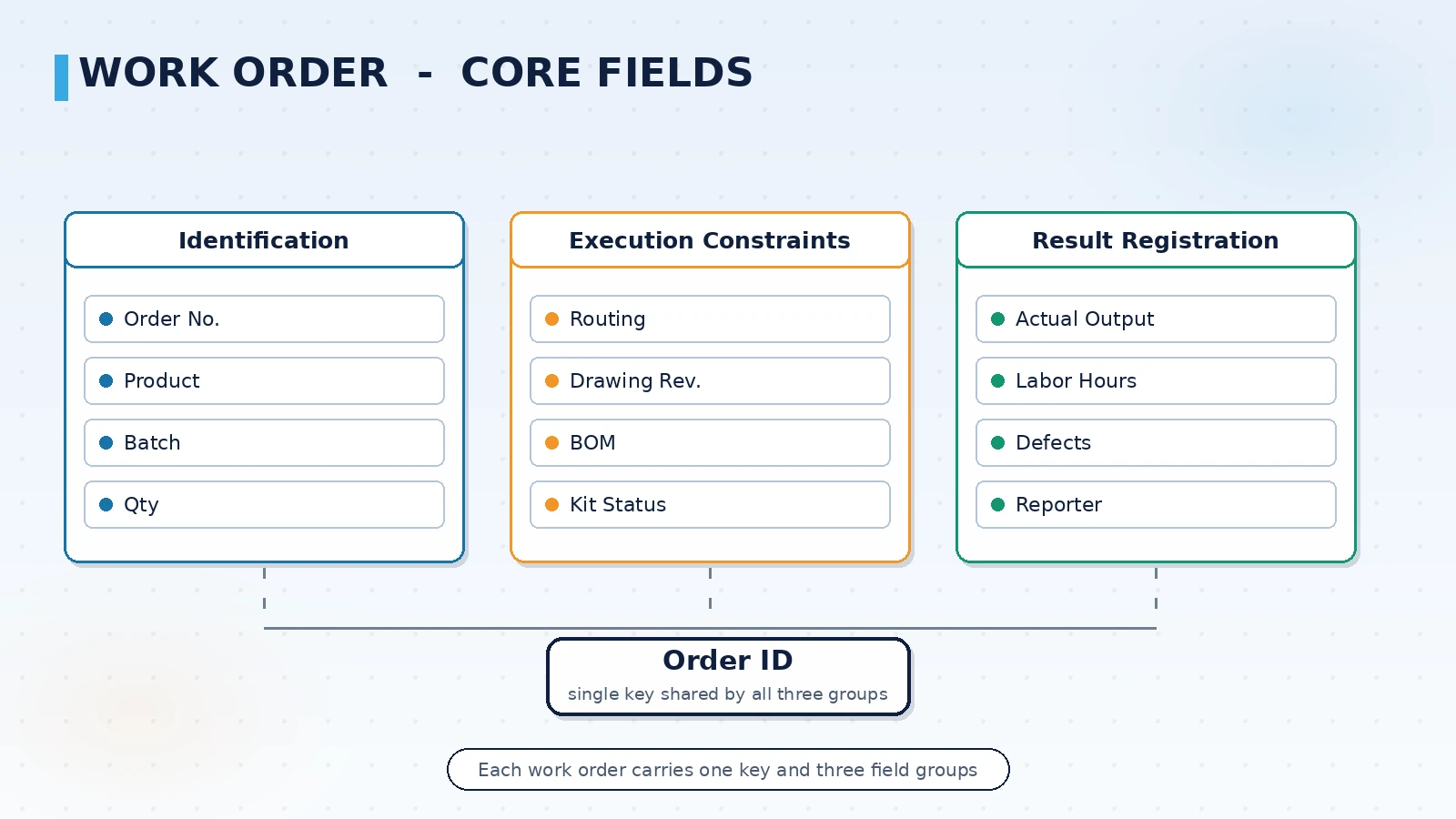
The fields decide whether the order can support later statistics and analysis. Too few fields and you cannot explain what happened; too many and the data entry burden on the floor grows. A common approach is to split fields into three groups: identification, execution constraints, and result registration.
| Field group | Typical fields | Purpose |
|---|---|---|
| Identification | Order number, product, batch, planned quantity | Unique identity for traceability and search |
| Execution constraints | Routing, drawing revision, bill of materials, kit status | Basis for floor execution, prevents wrong revisions |
| Result registration | Actual output, labor hours, defect quantity, reporter and time | Supports statistics and performance calculation |
Drawing revision linkage is the critical one. In machining and sheet metal shops the same product often exists in several revisions at once. If the work order does not bind a revision, the floor may run the old drawing. Writing the revision into the order and checking it at scan time reduces batch rework.
How to choose a reporting method
The reporting method directly decides whether the floor is willing to use the system. Selection should match floor conditions, not novelty.
- Terminal reporting: suits lines with fixed machines and continuous processes, where operators scan at a station terminal
- Mobile reporting: suits shops with dispersed processes and walking operators, using tablets or industrial handhelds
- Automatic reporting: suits processes where equipment provides a counting signal and data can be collected, triggered by machine data
Reporting methods can coexist. Different processes in one shop may use different methods; the key is that reporting data lands on the same work order.
Which systems to integrate with
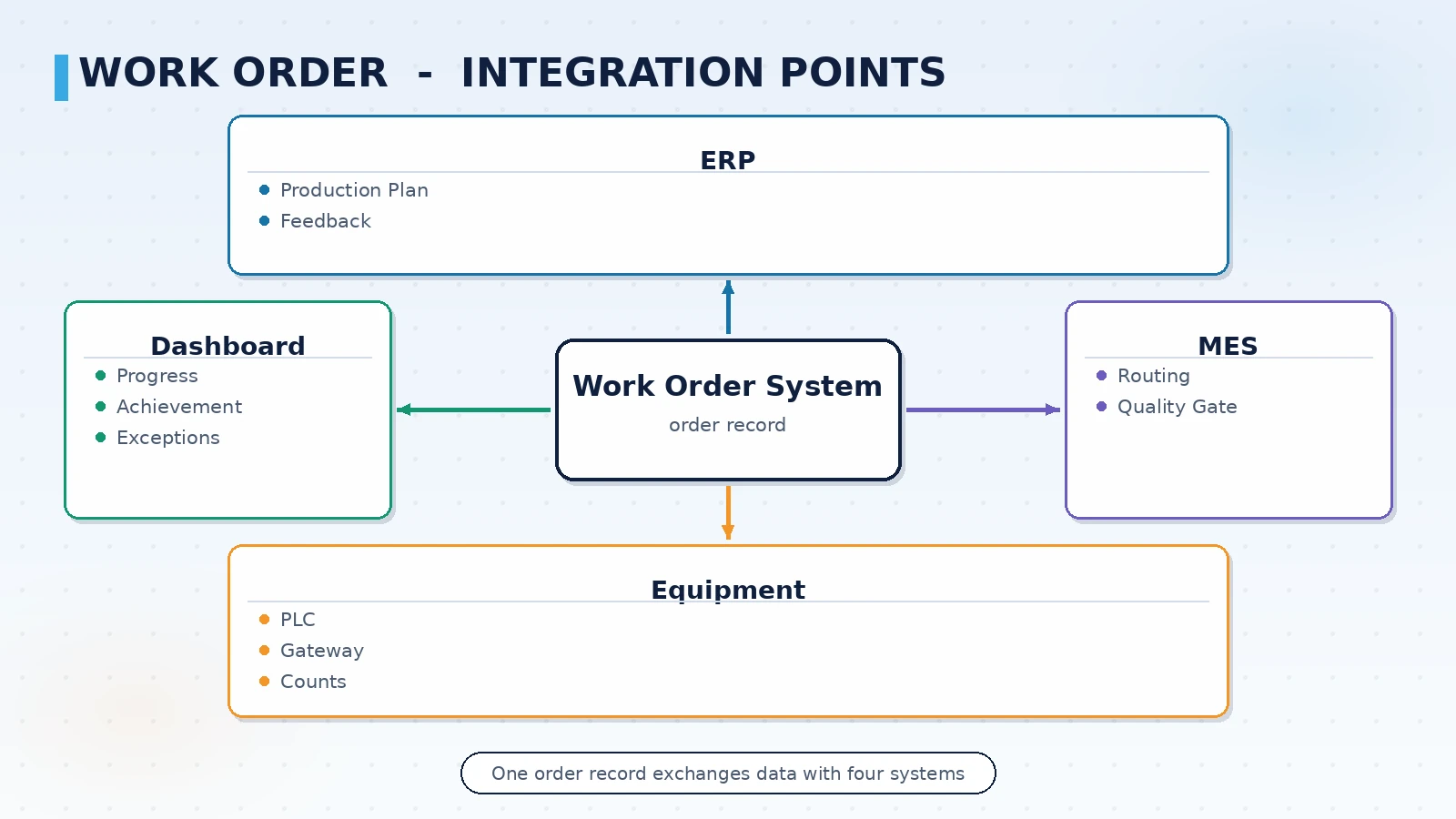
A work order system rarely stands alone. It sits between the planning layer and the execution layer, connecting upward to ERP and downward to equipment and andon boards. Whether the interface boundaries are clear decides whether go-live leads to repeated rework.
- With ERP: receive production plans and orders, write back actual output and labor hours, align material and batch data both ways
- With MES: the work order is the core object of MES execution; routing and quality gate decisions revolve around it
- With the equipment layer: read machine status and counts through PLCs or acquisition gateways to trigger reporting automatically
- With dashboards: output order progress, achievement rate and exception status to shop floor boards
Three things to settle before go-live
When a work order system fails, it is usually not a software problem but these points left unclear.
- Who dispatches and who closes: unclear responsibility leaves orders sitting in progress and distorts statistics
- Whether reporting rules are unified: piece rate or hourly, per process or per order; inconsistent rules make performance data incomparable
- How exceptions escalate: the handling path and timeout rules for missing material, quality rejection and equipment failure must be written in advance
Once these three are settled, the system boundary is clear: what data it takes in, what actions it manages, and to whom it returns results.
How to choose a work order system that avoids rework
The value of a shop floor work order system lies not in the number of features but in whether it follows the real dispatch and reporting flow on the floor. We recommend mapping the current work order path first, locating the process with the worst information gaps, and then deciding between building new or extending a work order module on an existing MES. ORPAON has over 15 years of experience in manufacturing digitalization and has delivered more than 600 projects and solutions, with a solid grasp of the integration boundaries between work order systems and ERP, MES and the equipment layer.
Book a solution discussion
If you are evaluating a shop floor work order system, contact us for a solution discussion and start by clarifying your current work order flow and system integration boundaries.
Contact Us