Custom HMI and SCADA Software: Layers and Handover
Custom HMI and SCADA software is rarely built by one company alone. The work splits into four layers: the machine or controller supplier provides a usable data interface, the system integrator handles site networking and instrument wiring, an external team develops screens, reports and data storage, and the customer verifies tag lists, screen inventories and test records at acceptance. Agreeing these boundaries before the kick-off meeting is what keeps late-stage rework from interface changes and scope creep out of the project.
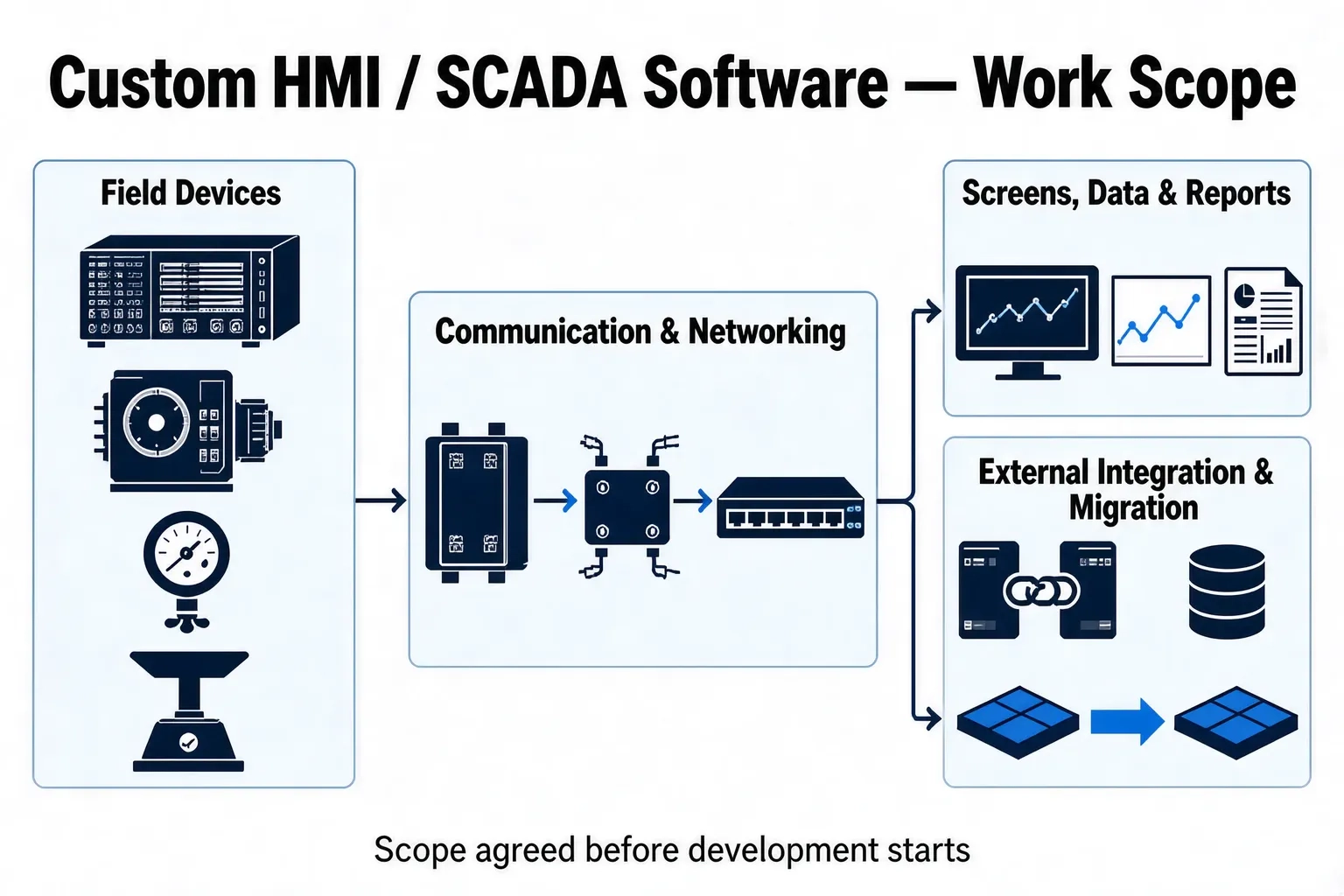
What work actually exists in a supervisory software project
A supervisory project looks like "building a monitoring screen," but it splits into five kinds of work, and the people doing them are usually not the same.
- Field machines and instruments: controllers, drives, meters and weighing devices that provide readable data sources
- Communication and connectivity: protocol mapping, gateway setup, network segmentation, time sync and local buffering
- Screens and operating logic: screen configuration, operator permissions, alarm tiers and action logging
- Data and reports: historical storage, report templates and external data interfaces
- Delivery and operation: program version management, backup, update procedure and the process for later changes
Of these five, only the second and third change with customer requirements. The first is decided by the machine, while the fourth and fifth decide whether the system can still be modified two years later.
Layering by responsibility: what stays in-house and what goes to an external team
The simplest way to define scope is to draw four blocks of responsibility rather than divide work by function menu.
| Layer | Main work | Usually owned by |
|---|---|---|
| Machine-side software | Controller program, exposed data interface, communication parameters | Machine builder or controller supplier |
| Site system integration | Network and cabling, instrument hook-up, signal verification, commissioning | Customer IT or a local system integrator |
| Supervisory development | Screens, alarms, historical data, reports, external interfaces | External development team or in-house software group |
| Acceptance and operation | Acceptance testing, accounts and permissions, version updates, later changes | Customer engineering department and end users |
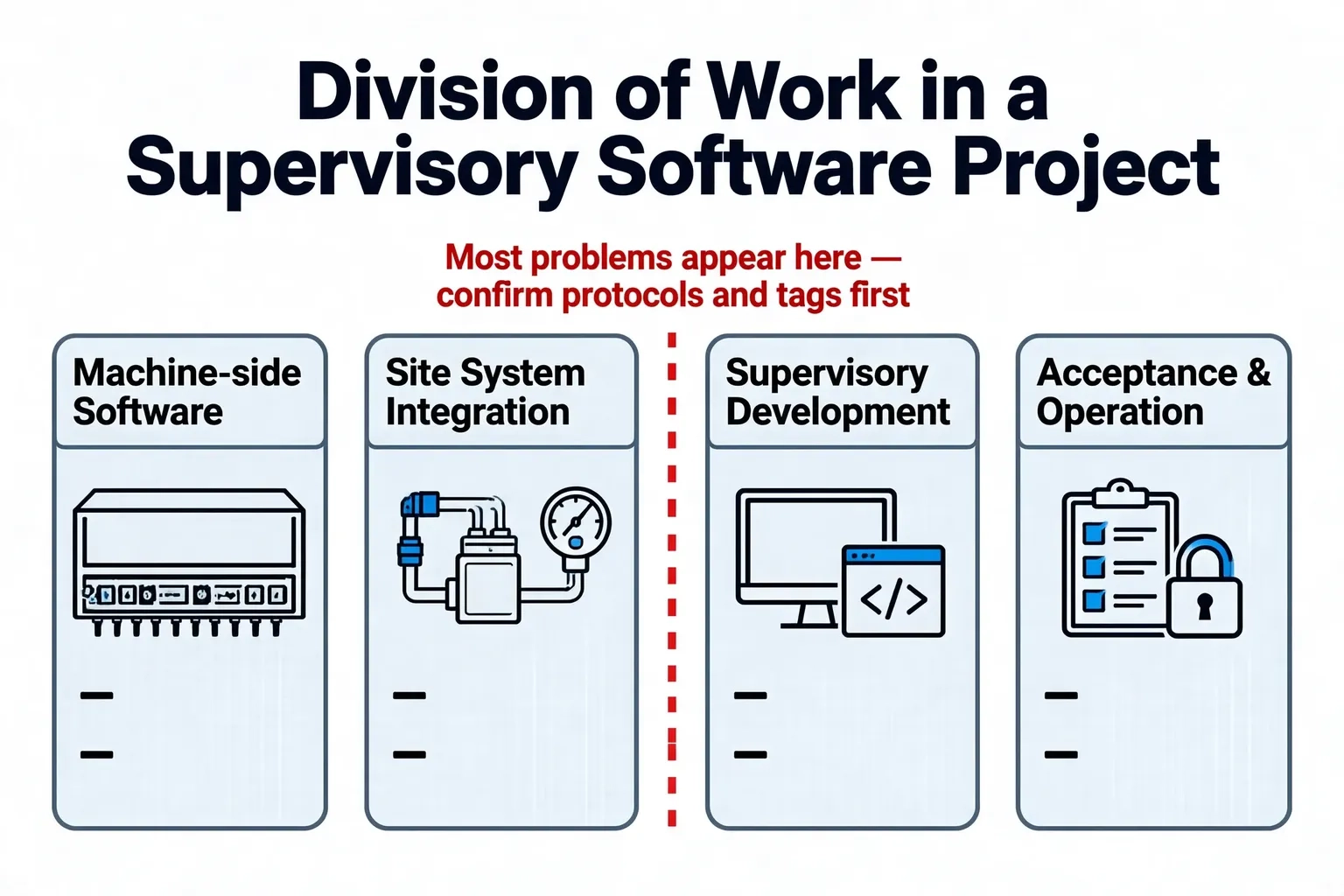
The point of a responsibility table is not to assign blame. It is to make each layer state what it delivers and in what form.
With this split, trouble most often appears between the second and third layers. If site network conditions, instrument protocols and the list of available controller registers are not confirmed before development starts, screens written by the external team simply have no data to display.
A quote's structure says more than its total
When evaluating a supervisory software quote, the structure is more informative than the total. A workable quote splits into man-days and rates, and states clearly what is out of scope.
- Broken down by work item: tag list preparation, communication debugging, screen development, report development, site commissioning and documentation listed separately
- Man-days and roles: man-days per work item, and whether site commissioning and remote support use the same rate
- Out-of-scope items: what the customer must provide, how change requests are priced, and how travel and accommodation are handled
- Deliverable list: how many copies of source code, screen files, communication tag lists, test records and operating manuals, and in what form
A quote broken down by work item leaves far less room for disputes about whether something counts as a change; a single total with no scope breakdown usually means the scope will be reinterpreted during delivery.
Handover boundaries for code and assets
A supervisory system keeps changing after go-live, so what gets handed over determines how much freedom the customer has two years later. Engineering practice covers these items one by one.
- Source code and project files: whether compilable full source or editable project files are provided, with licence terms stated
- Communication tag list: data type, address, unit and update cycle for every tag, as a table that can be checked against
- Screen inventory: screen names, hierarchy and the process section each belongs to, for easier location and modification later
- Test records: results for communication, alarm triggering, power-cycle recovery and continuous running
- Update procedure: who applies program updates, in which time window, and how to roll back if something goes wrong
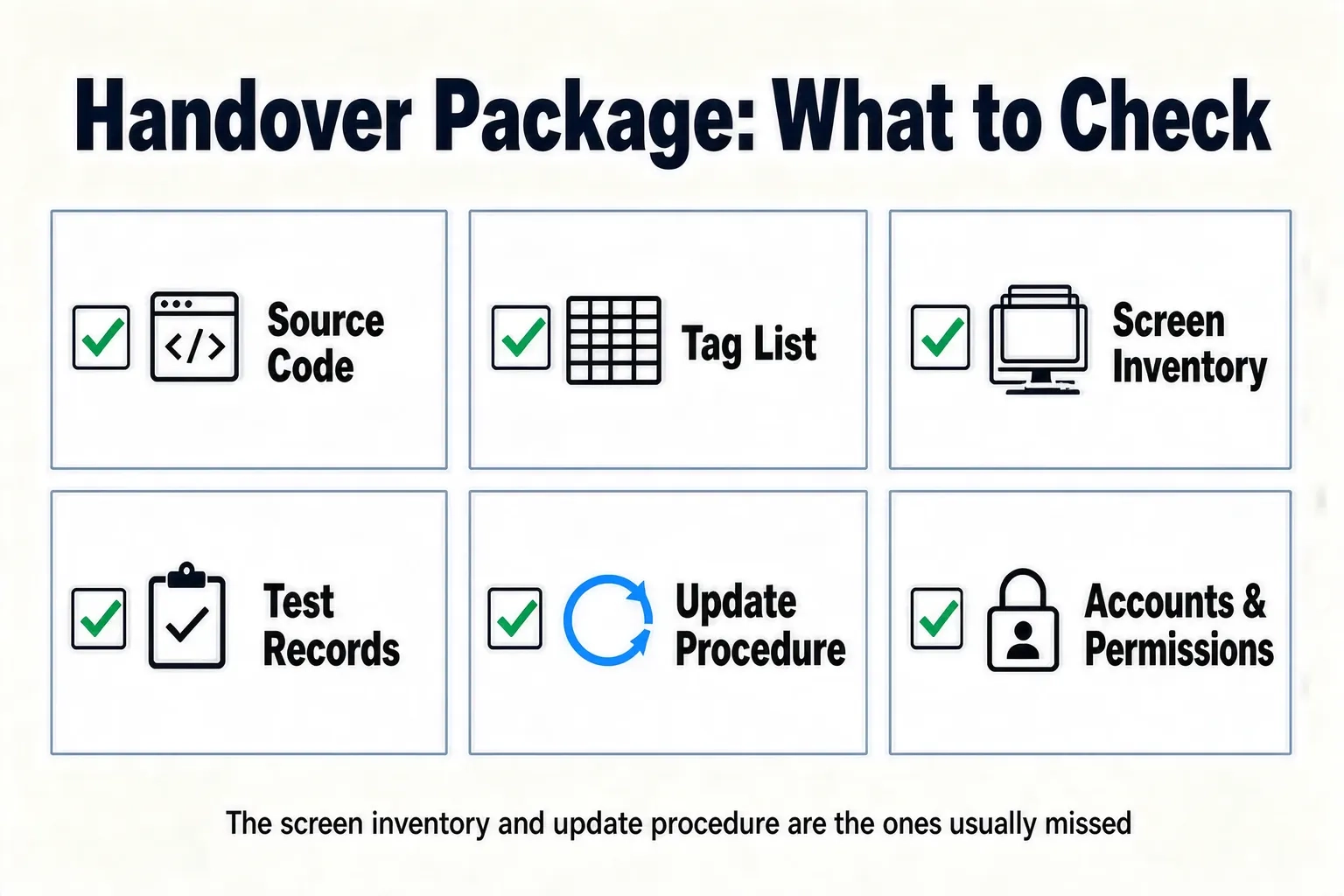
Items three and five are the ones most often skipped: the screen inventory decides how quickly later changes can be located, and the update procedure decides whether the customer can handle small changes alone.
Where licensed configuration software ends and custom development begins
Many projects do not need code written from scratch. The decision comes down to a few concrete questions: does the protocol fall outside the driver set shipped with the configuration software, are there non-standard screen or operating requirements, must data be exchanged with MES or ERP, and must the customer's own team be able to maintain it later.
- Protocol and driver covered, standard screen logic: prefer licensed configuration software; faster to deliver and cheaper to maintain
- External data interfaces, non-standard operating logic, multi-role permissions: custom development fits better
- Mixed approach: licensed software handles standard screens and on-site operation, while custom programs handle data interfaces and reports — a common arrangement
A mixed approach needs its boundary fixed early: which data the configuration software writes to the database, and which interfaces the custom program owns, so that two programs never write to the same table.
Staged rollout and milestone acceptance
Delivering in stages controls risk better than a single hand-off, because each stage leaves something checkable.
- Function confirmation: agree tag lists, screen inventory and operating logic, and put them in writing
- Prototype screens: build one or two key screens first to validate the data path and visual style
- Staged go-live: bring the system online process section by process section or line by line, observing each batch before the next
- Handover and operation: complete the source code and documentation handover, then move into version updates and support
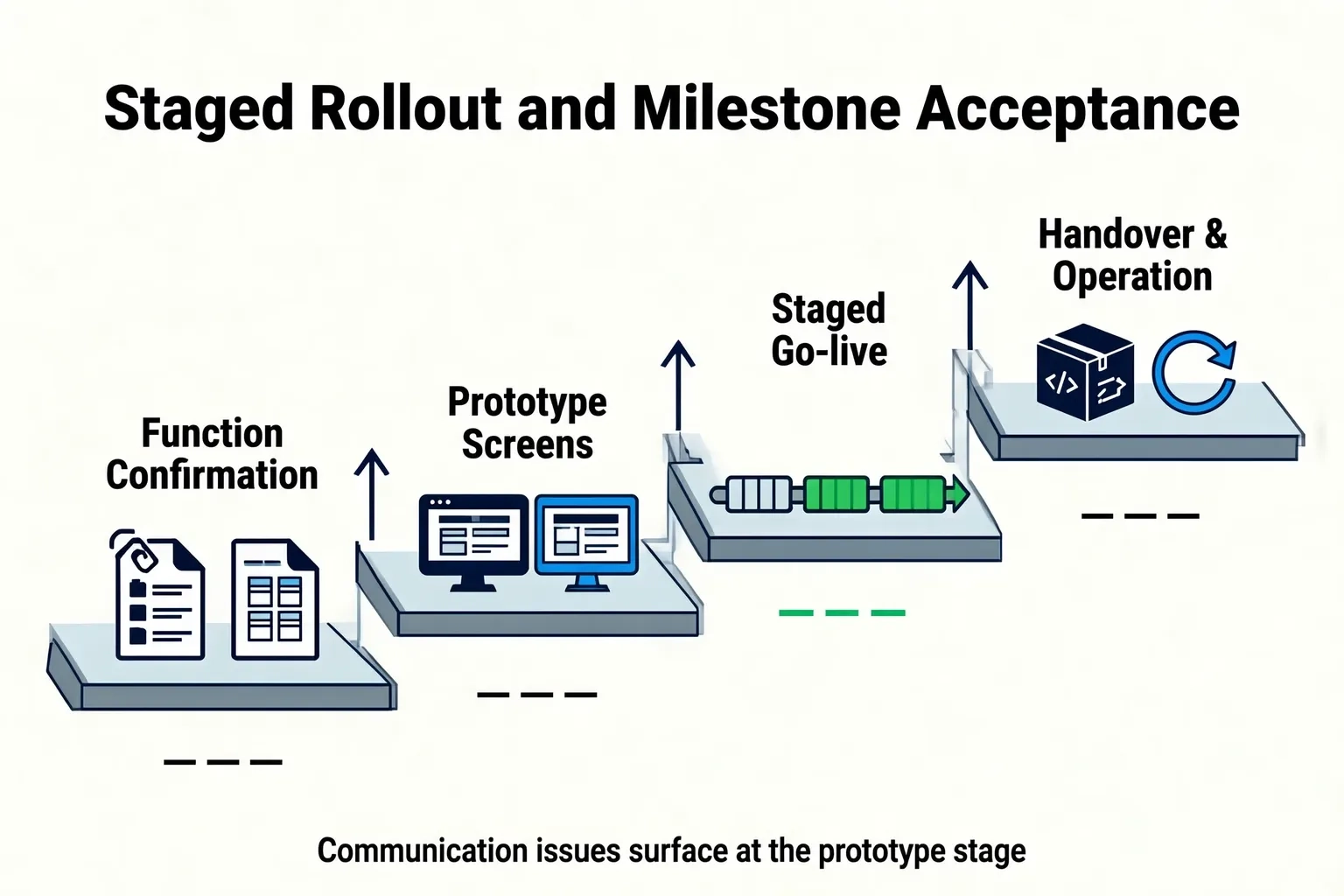
A direct benefit of this order: communication and data-path problems surface during the prototype stage, not on the day the system goes live.
Information to prepare before kick-off
Before design work starts, pulling the following together reduces later rework: a list of communication protocols used by existing controllers and instruments, the data tags and sampling cycles available, site network and remote access conditions, the external systems to integrate and the interface form each needs, and who on the customer side signs off tag lists and screens.
Shanghai Chengxuan Intelligent has accumulated project experience in industrial software and equipment connectivity since 2009, with product capabilities covering supervisory software, data acquisition and monitoring platforms. We can work from the actual equipment conditions and project scope to confirm the functional boundary and deliverable list.
Summary
The key question in custom HMI and SCADA software is not whether one company or several deliver it, but whether the boundaries of the four layers are written down early. Split the work into machine-side software, site system integration, supervisory development and acceptance and operation, and settle tag lists and data sources first. Then fix the scope with a quote broken down by work item, and fix the handover with source code, tag lists, screen inventories, test records and the update procedure. Finally, proceed in the order of function confirmation, prototype screens and staged go-live. Do these and the system can still be modified well after go-live.
Talk through your project
If you are evaluating how to build a supervisory or SCADA system, tell us your machine types, communication protocols and the external systems you need to integrate. We will suggest a functional boundary and deliverable list based on your actual situation.
Contact Us